This add-on helps in two ways: it recommends products to you directly inside the chatbot, and for your logged-in users it can also retrieve their order information to share with them.
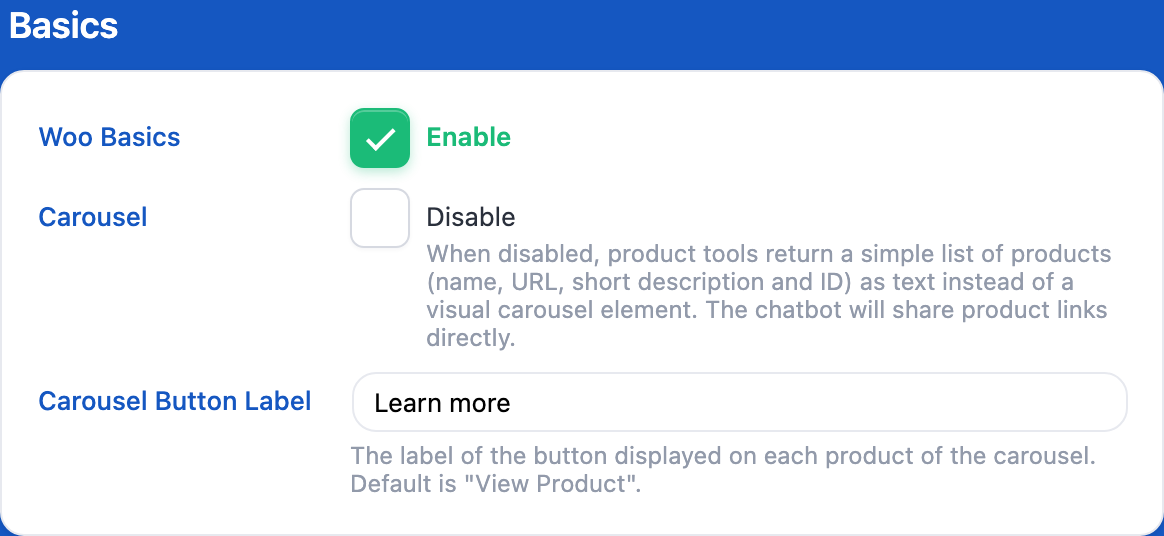
In the Woo Basics settings, pick your chatbot under Chatbots and enable Woo Basics for it (or switch By Chatbot to All Chatbots to use the same settings everywhere). And that is it; nothing more to do. Keep the Integration Type on Function Calling (Recommended) and use a model that supports function calling. The other types (Query Keywords, Query Command) only add the user’s WooCommerce information to the context: no product search.
Now you can just ask your chatbot about certain products. It searches your store (by words, and also by category, tag, price range or stock when the question calls for it) and gets a list or a single product to recommend. This is returned as a product carousel, rendered separately (not directly by the chatbot) inside the message.
If you prefer plain text, check Carousel: Disable: the chatbot then shares a simple list of products with their links. When the carousel is on, Carousel Button Label sets the text of the button shown on each product.

