Make sure to read the WordPress MCP Server to set up your environment in AI Engine before starting here.
The easy way: Claude’s directory
AI Engine is listed in Claude’s connectors directory: AI Engine for WordPress ↗. Click Connect, enter your site address, and approve the connection in WordPress. It goes through Torii, Meow Apps’ connector, which never stores your WordPress password and never logs or stores the content of your requests.
Connect directly (OAuth)
For every tool with no relay at all, add AI Engine as a custom connector. This video shows the whole thing:
The quickest way is the Connect an AI assistant card in AI Engine > Settings > MCP: pick Claude and click Open Claude, already filled in. Claude opens its custom connector dialog with your site’s name and URL already there; click Continue, then Add, then Connect.
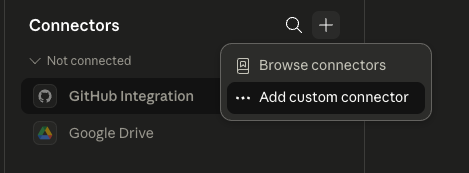
You can also do it by hand: in Claude, add a custom connector for AI Engine.
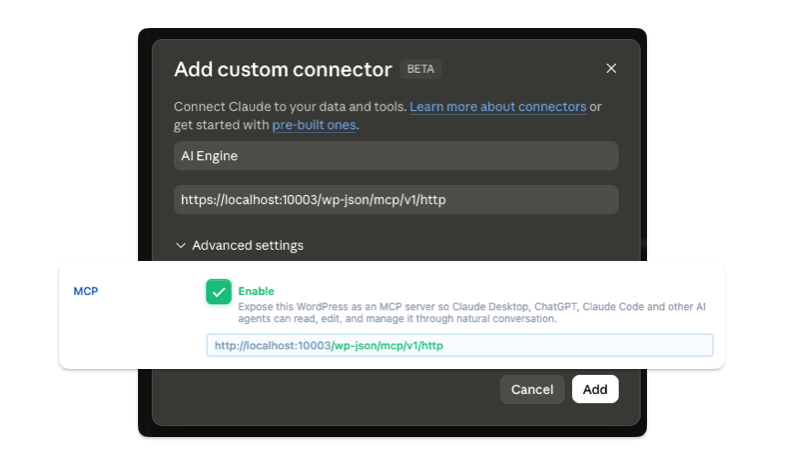
Then copy and paste the MCP URL you have from the AI Engine settings.
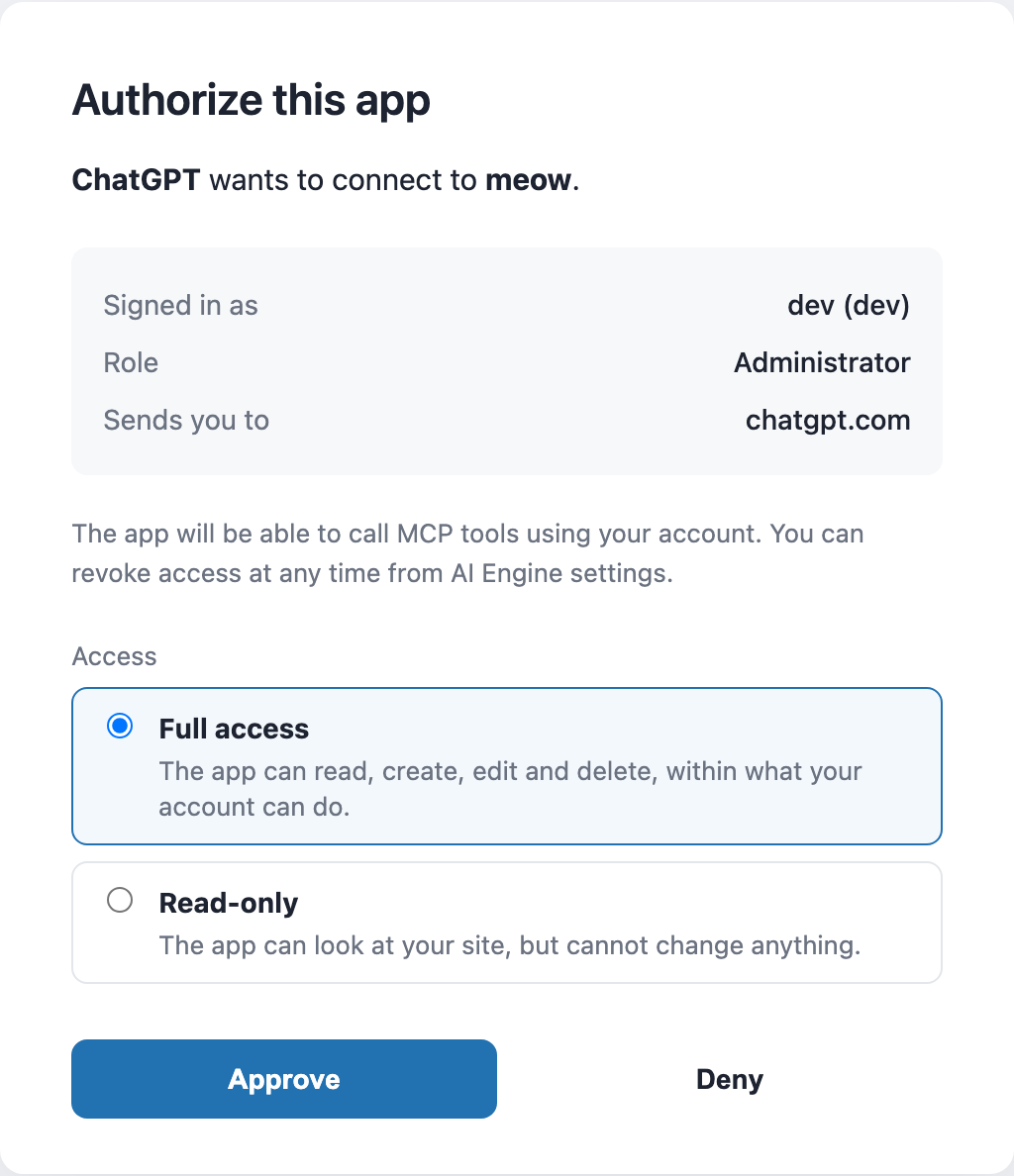
Claude then opens the AI Engine authorization page on your site. Log in to WordPress if asked (as an administrator, or as an Editor when Editor Access is on), choose Full access or Read-only, and click Approve. With Read-only, Claude only gets the tools that read. You can switch this later, or revoke the connection, in Settings > MCP > Connections.
Token Auth
If you cannot use OAuth for a specific reason, such as using a local setup with no HTTPS and no reverse proxy available, you can still use a token to connect to Claude MCP.
Simply do the same step as above in the OAuth section, but instead of copy-pasting the OAuth link, replace the “http” with your token (which you find in the Bearer Token section).
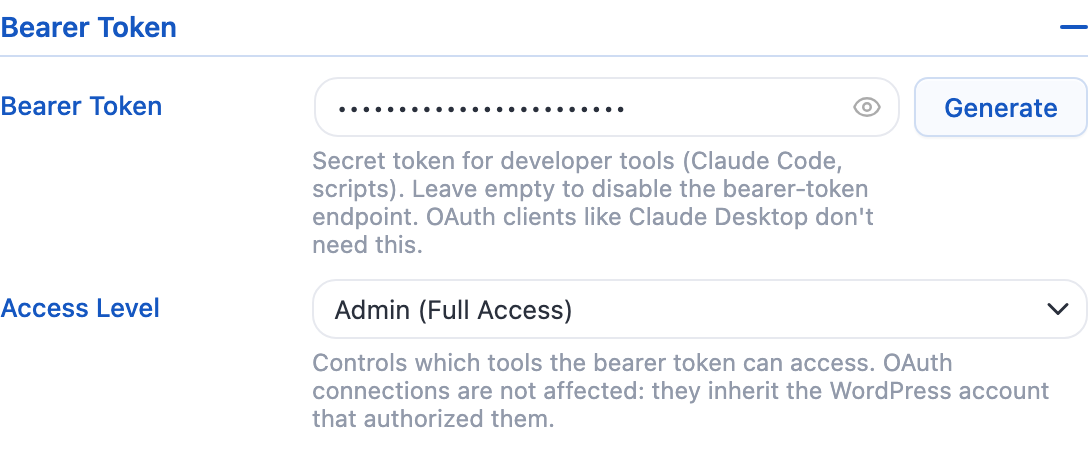
It should look like something like this: https://meowapps.com/wp-json/mcp/v1/ThisIsASecretBearerToken
Try these prompts
- Simple: “List my latest 5 posts.”
- Simple: “Create a draft post titled My AI Journey, one paragraph, and attach a random Media-Library image.”
- Intermediate: “Review the 10 newest posts, then publish a logical follow-up. Re-use existing categories & tags. Generate an image if none fits.”
- Advanced: “Fork Twenty Twenty-One into a dark grid theme called Futurism supporting post types Article & Project.”
Issues
If Claude cannot reach your site, the most common causes are a security layer between Claude and WordPress (a WAF, a CDN, a hosting firewall) or a caching rule. Start with the check in the Connect card, then read MCP Connection and When Your Host Blocks AI Engine. There is also a longer guide here: Fix MCP WordPress Connection.
Claude Desktop keeps its own logs in ~/Library/Logs/Claude on macOS. They are worth a look when the connector fails silently, since Claude often does not display the actual reason.
The old SSE bridge (the bundled mcp.js Node script, the /wp-json/mcp/v1/sse endpoint and its companion /messages endpoint) was removed in AI Engine 3.6. The MCP specification retired that transport, and everything now goes through the single Streamable HTTP endpoint described above. If you still have an mcp.js entry in your Claude configuration, remove it and set up the connector with OAuth or a token instead.