AI Engine also allows you to override the default WordPress search with an AI-powered search based on keywords or embeddings.
The default WordPress search can be limited, especially if your posts are not properly indexed, tagged, or optimized, which can lead to missed results.
With AI Engine, you can use the same RAG mechanism as the chatbot does with your content via embeddings. Alternatively, if you don’t use embeddings, you can rely on AI-powered keyword search to surface relevant posts that might not appear with traditional search methods.
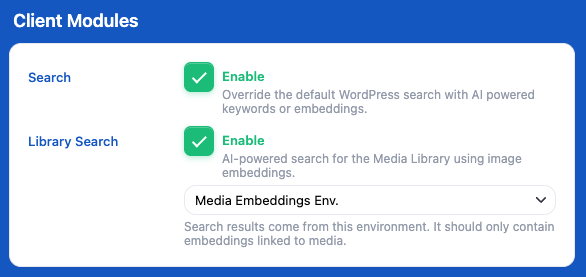
This will add a new tab called “Search”. There, you can select which type of search you want to use and test them directly inside the plugin.
Simply choose your preferred option in the “Search Method” section.
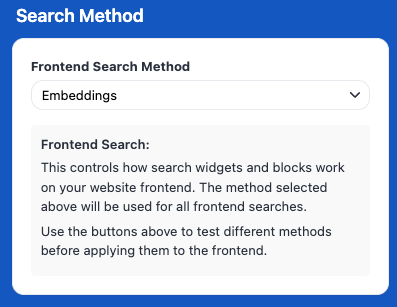
Depending on the method you choose, you may need to configure additional settings in the Settings section just below. Make sure to review and complete those as well.
Each method also includes a description to help you understand what it does.
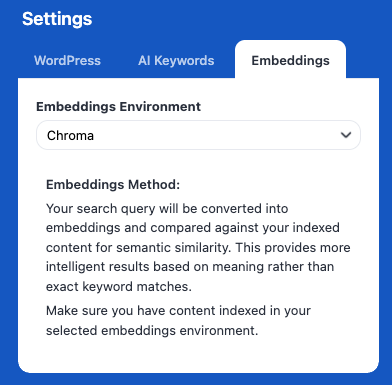
Finally, you can simply click “Search” to try the selected method.
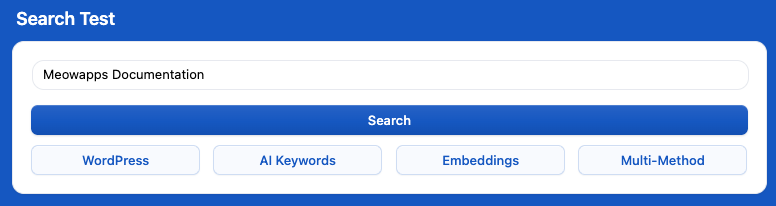
If you want to try another method, you can use the corresponding button under the search options.
You can also use “Multi Method” to compare results across different approaches before choosing the one that works best for you.
This way, you don’t need to create your own AI-powered widget or rely on a specific AI Engine shortcode to build a search bar. You can keep using your existing setup, and the search process (as long as you’re using the default WordPress search and not a third-party solution like Elastic) will automatically become AI-powered.