This add-on lets you create Ollama environments so you can host your own models or use a distant server running an Ollama instance.
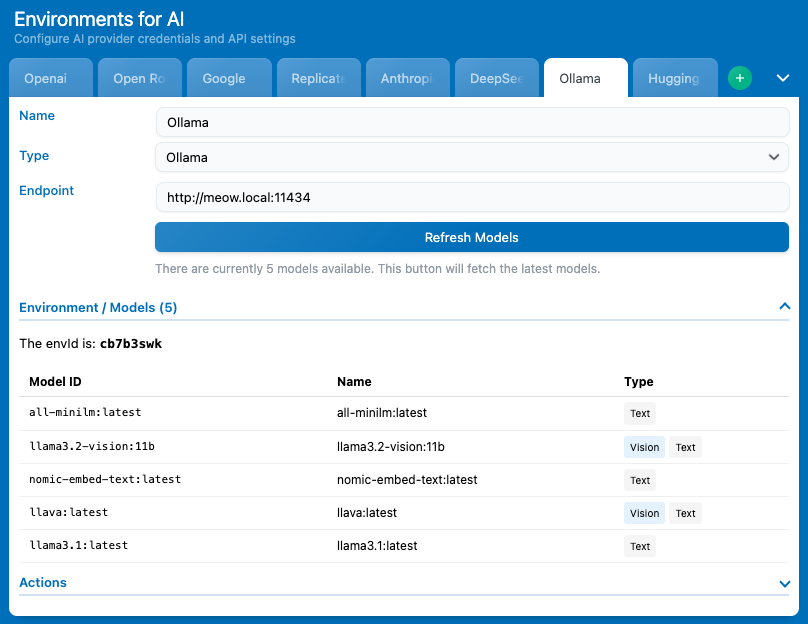
Once the add-on is installed, you have nothing more to do on the add-on side. Go back to AI Engine, and in the Environments for AI settings, you will now be able to select the type “Ollama“, then add your endpoint and refresh the models list.
You can have your Ollama instance running on the same server as your WordPress server, so you will have to enter your server’s local address as the endpoint.
Function Calling
The “Functions” section in your chatbot settings will only appear if the model you have selected is noted as compatible with function calling.
Ollama does not return this information, so it has to be done manually. The add-on already do this for a couple of models, but if you are using models that are not on that list you can always do it manually to force the function-calling tag.
add_filter( 'mwai_ollama_functions_models', 'my_custom_ollama_functions_models', 10, 3 );

/**
 * Adds custom models to the list of Ollama models that support functions.
 *
 * @param array $models The current list of model prefixes that support functions.
 * @param array $model_info The model information from the Ollama /api/tags endpoint.
 * @param array $details The detailed model information from the Ollama /api/show endpoint.
 * @return array The modified list of model prefixes.
 */
function my_custom_ollama_functions_models( $models, $model_info, $details ) {
    // Add 'deepseek-coder' and 'qwen2.5' to the list of models supporting functions
    $models[] = 'deepseek-coder';
    $models[] = 'qwen2.5';

    return $models;
}
These filters are made to return all model prefixes that should be function-calling compatible. You can either set the whole model name or just the prefix; for example, if you add “deepseek-” all the deepseek models will return the function tag.