AI Engine is a serverless plugin. No data is transmitted elsewhere other than your database and the used API (OpenAI / Azure / Pinecone / …). Therefore, if you are storing any data through the queries made to your chatbot, you are the only responsible person for their security and for complying with your region’s cybersecurity laws.
AI Engine uses AI models through third-party services’ APIs, so if you use an OpenAI model, you consent to OpenAI’s data usage and confidentiality practices, as you would when using their services outside of AI Engine.
AI Engine is compatible with self-hosted solutions, so you can run everything locally, from AI models to vectorized databases, and avoid using third-party services all together.
Is AI Engine GDPR compliant?
By default, AI Engine itself (as a plugin) does not infringe any GDPR rules. Depending on the options you enable, like Discussions or Insights, which save chat logs (locally in your database), it may cause you to violate GDPR rules, so make sure you enable these options with your users’ consent.
You can go to AI Engine settings to enable a GDPR consent message that locks the chatbot until the conditions are accepted.

You also have the possibility to enable the “privacy first” mode that ensures all personal data are hashed, masked, or transformed to avoid storing personal information.

Where are the chat logs saved?
All the data saved by AI Engine is stored in your WordPress database, and all AI Engine tables are prefixed with “mwai.” You can access them just like you would normally access your database for any other table.
You can find all of the chat logs inside the ‘wp_mwai_logs‘ table.
You can find all of the discussions inside the ‘wp_mwai_chats’ table.
Where are images stored?
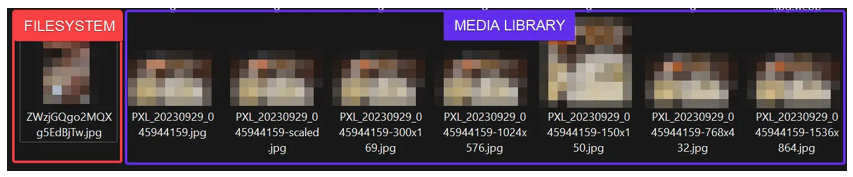
If you use Vision-capable models, your users might upload images. To be processed, these images first need to be stored, and this will be done directly on your local install. You have the choice between using the “filesystem” or “Media Library”. In both cases, images will be uploaded to your “uploads” folder.
- With the “filesystem,” the image will be renamed to have a random anonymized name and will exist as a single file.
- With the Media Library, it will use the WordPress upload function and create all the different thumbnails of the image with the original name.
No data is stored by MeowApps anywhere online. The image is then sent to OpenAI either by using BASE64 encoding or by sending the public URL of the image, depending on the setting you chose.