You might want to restrict your chatbot in certain cases, and AI Engine provides several ways to handle moderation.
BOT & SPAM Moderation
AI Engine doesn’t include a built-in anti-spam or anti-bot feature out of the box. Typically, this kind of protection should be handled at the site level, rather than directly within the chatbot interface.
That said, you can still add front-end protection to your chatbot using custom code through the AI Engine Front-End API.
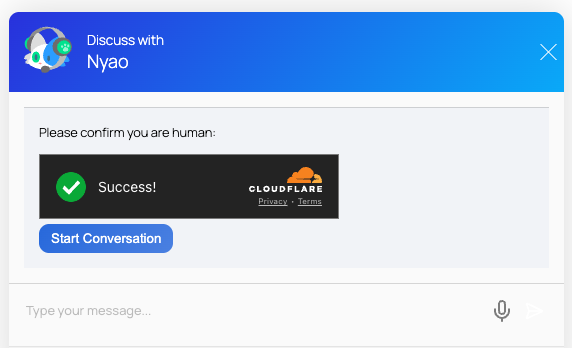
If you prefer not to build a custom solution, you can use the Visitor Forms addon, which supports Cloudflare Turnstile. This requires users to validate themselves before accessing the chatbot, effectively blocking bots and spam.
IP Moderation
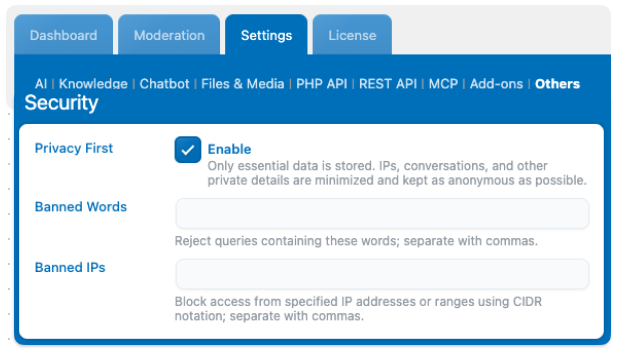
The first and simplest method lets you ban specific words and IP addresses:
In “Banned IPs,” you can block certain addresses that appear spammy. (You can see user IPs in the Insights tab if Privacy First is disabled.) You can also use IP ranges to block an entire region if needed.
In “Banned Words,” enter any words you want to block, separated by commas. If one of these words appears in a user’s message, it will be blocked, and the chat will not proceed.
123.45.67.89              ← blocks one specific IP
123.45.67.*               ← blocks all IPs starting with 123.45.67
123.45.*.*                ← blocks a wider range (entire subnet)
192.168.0.0/24            ← CIDR notation, blocks 192.168.0.0 to 192.168.0.255
OpenAI Moderation
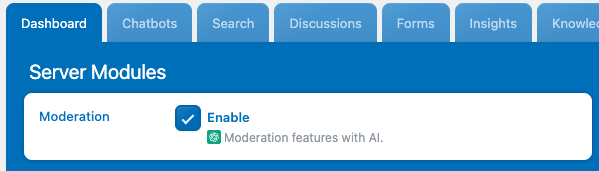
OpenAI includes its own moderation tools, which use AI to analyze messages for inappropriate or unsafe content.
If you enable this option, be aware that it will slightly slow down response times, since it performs an additional request to review the user’s query before sending it to the main AI model for processing.
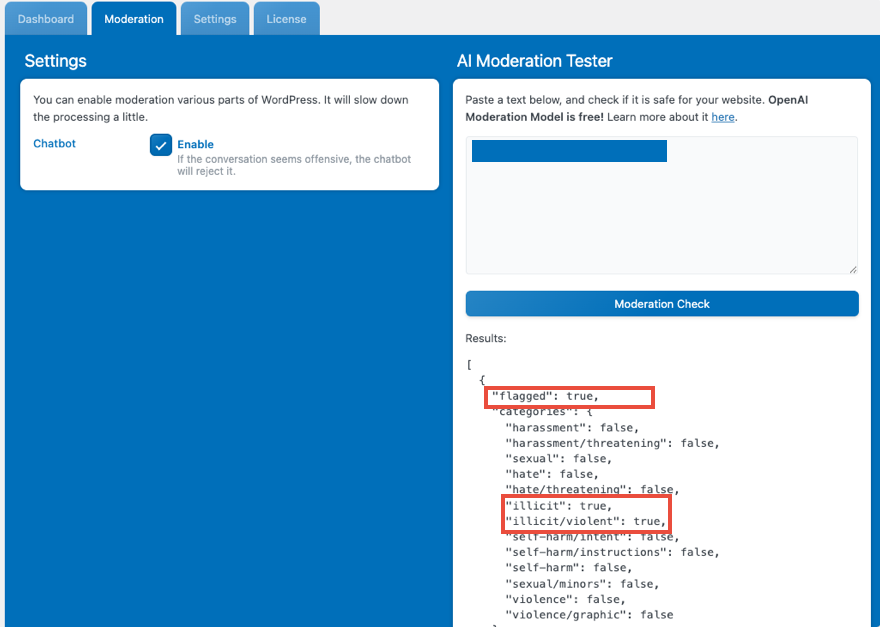
You can test this directly in the Moderation tab to see which flags are triggered. This lets you check whether a message would be blocked or allowed in a real chatbot conversation before enabling moderation in production.
Advanced
For more advanced moderation, you can build your own custom logic using the mwai_ai_allowed filter.
With this filter, you can inspect the AI query, the user information, the HTTP request, or any other data you need. Then, based on your conditions, you can decide whether to allow or block the message.
- If your function returns true, the message will be allowed.
- If it returns anything else (for example, a custom string), that value will be shown as the error message in the chat.
This gives you complete control over how and when messages are moderated.
- mwai_ai_allowed( $allowed, $query, $limits ) => Allow a query to be made or not
// Control whether a query is allowed
add_filter( 'mwai_ai_allowed', function( $allowed, $query, $limits ) {
    // Return true to allow, false to block, or a string error message
    if ( /* some condition */ ) {
        return 'Query blocked due to rate limits';
    }
    return $allowed;
}, 10, 3 );