Are you in this situation?
“My chatbot is using general data from the web, but I want it to use ONLY my data.”
This can be frustrating, but here’s the simple truth: that’s not how AI works.
The AI model does not actually use or browse the web unless you make a web request and include that content in its context. This is what “Web Search” tools or ChatGPT is doing behind curtains to give you fresh information, but simply relies on the given data as context and use it with its current knowledge.
When you talk to an AI, it relies on the knowledge it was trained on, a mix of text, documents, and examples that help it understand language and concepts. This training data is what makes the model capable of reasoning and answering questions in the first place, it cannot be turned off.
If you want an AI model to talk about or know something, add it to its context. That’s it.
So, you can’t make the AI rely ONLY on your website or files. However, you can guide and limit what it focuses on by providing more context. The best way to do this is through:
For example, you could say:
“If this question isn’t about our company, reply with: ‘I can’t assist with this matter.’”
This won’t make the AI forget its general knowledge, but it helps you steer its focus toward your data and keep answers relevant. With a bit of testing and refinement, you can make your chatbot behave the way you want.
OpenAI has developed its own tool to help you refine your prompts and optimize them. You can check it out here: OpenAI Prompt Editor
The AI responses are based on its context. If the context is empty, it will reply using only its default knowledge. So make sure you are actually feeding the right data into your chatbot’s context for it to generate meaningful responses. This context can come from various sources, you can learn more by reading the documentation.
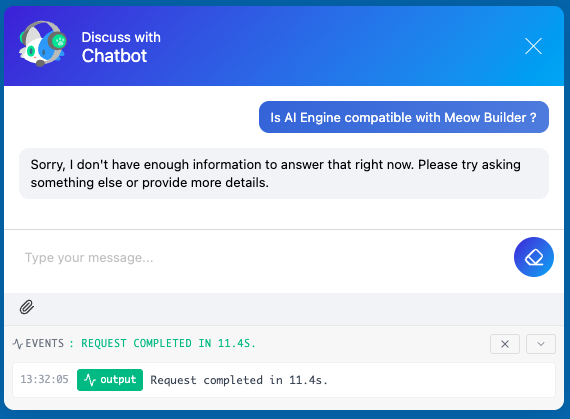
If you have technical knowledge, you can use a filter like mwai_context_search to manually check if any content (from embeddings or other sources) was added to the context. If the context is empty, you can force the chatbot to reply with a message indicating that it doesn’t have the necessary information to answer the query.
Note that this is not recommended. This is more of a hacky way to ensure Knowledge content has been added to the current context of your chatbot and then block a response if it doesn’t contain anything. Also, this does not mean the response will be accurate.
// Hook into the "mwai_context_search" filter to handle context verification.
add_filter( "mwai_context_search", 'my_context_check', 10, 3 );

// Function to handle context verification.
function my_context_check( $context, $query, $options = [] ) {
  if ( !empty( $context ) ) {
    // If context is available, let the conversation proceed naturally.
    return $context;
  } else {
    // If no context is found, set up a placeholder to indicate an empty context.
    $context["content"] = '{EMPTY}';
    $context["type"] = "filter";
    return $context;
  }

  return null;
}

// Hook into the "mwai_ai_reply" filter to modify the AI reply.
add_filter('mwai_ai_reply', 'my_mwai_reply', 10, 2);

// Function to modify the AI reply when an empty context is detected.
function my_mwai_reply( $reply, $query ){
  if ( $query instanceof Meow_MWAI_Query_Text ) {
    // Retrieve the context and check if it was our {EMPTY} keyword.
    $context = $query->context;
    if ( $context === '{EMPTY}' )
    {
      // If an empty context is detected, change the reply to a default message.
      $reply->set_reply("Sorry, I don't have enough information to answer that right now. Please try asking something else or provide more details.");
    }
  }
  return $reply;
}